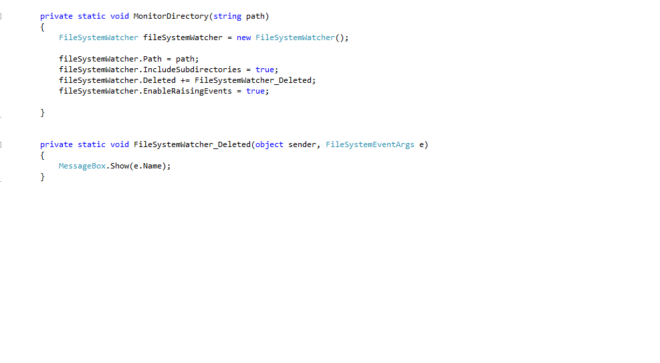
How to track the deleted folders in Windows Explorer in Windows Forms Application in C# .net

You can track the deleted folders in Windows Application by using FileSystemWatcher Class.
1) First add System.IO.FileSystem.Watcher.dll library.
2) Next Write the code as shown below.
3) If you need to track all the subdirectories which are deleted.
The below code is important.
fileSystemWatcher.IncludeSubdirectories = true;
4) Write the source code as shown below:
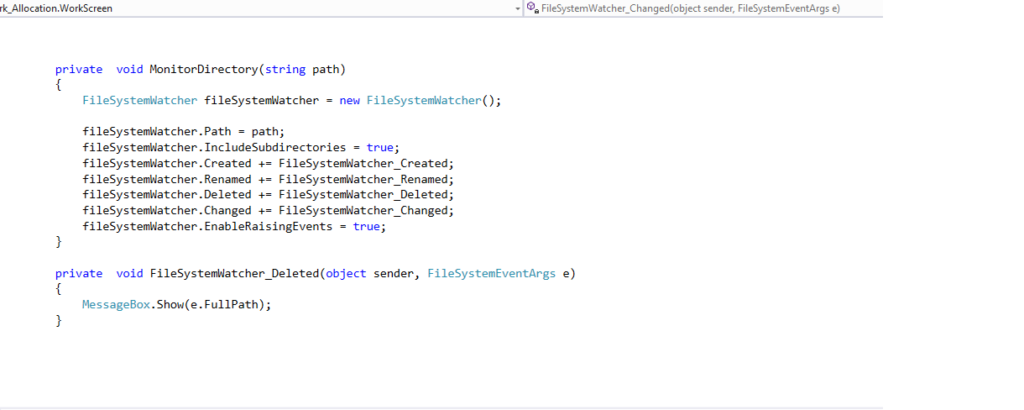
private void MonitorDirectory(string path)
{
FileSystemWatcher fileSystemWatcher = new FileSystemWatcher();
fileSystemWatcher.Path = path;
fileSystemWatcher.IncludeSubdirectories = true;
fileSystemWatcher.Deleted += FileSystemWatcher_Deleted;
fileSystemWatcher.EnableRaisingEvents = true;
}
private void FileSystemWatcher_Deleted(object sender, FileSystemEventArgs e)
{
MessageBox.Show(e.FullPath);
}
5) Refer Image as shown below:
How to extract directories from particular path and extract files from directory
How to change default icon in Windows Forms Application in C#
קמגרה תשדרג לכם את חיי המין ותאפשר לכם הנאה מרבית מהאקט. לטבע פלז’ר שלל פתרונות טבעיים נוספים שישדרגו לכם את חדר המיטות. דירות דיסקרטיות בהרצליה
You need to take part in a contest for one of the highest quality sites on the net. I am going to recommend this site!